Ultra Cowbell
Polyphonic metallic percussion voice
VCV Library: DanTPro plugin · Ultra Cowbell module
- 24HP
- Up to 16 voices
- 1v/octave pitch
- CV on every sound control
Ultra Cowbell is a percussion voice for cowbells and other metallic sounds, such as bells, tines and clanks. Made from two oscillators, a decay envelope, bandpass filter, saturator and a third oscillator to ring modulate.
It's polyphonic, so one module can play chords, rolls or a different sound on each voice. The display draws a wireframe bell for each voice, and the bells change shape as you turn the knobs.
Ultra Cowbell is an evolution of Moar Cowbell, the free module in the DanTModules plugin. It's designed to sound like Moar Cowbell and comes with its presets, and you can bring your own Moar Cowbell sounds across.
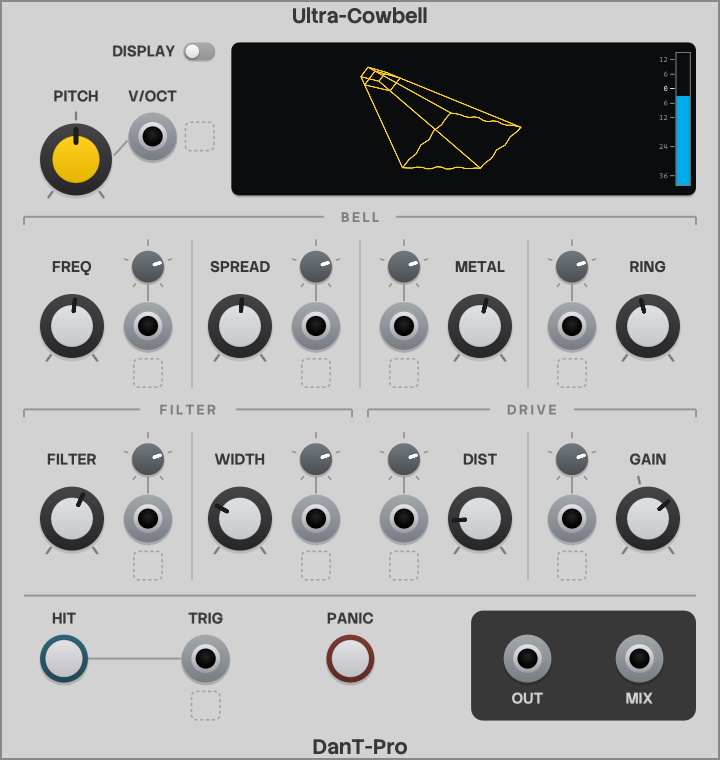
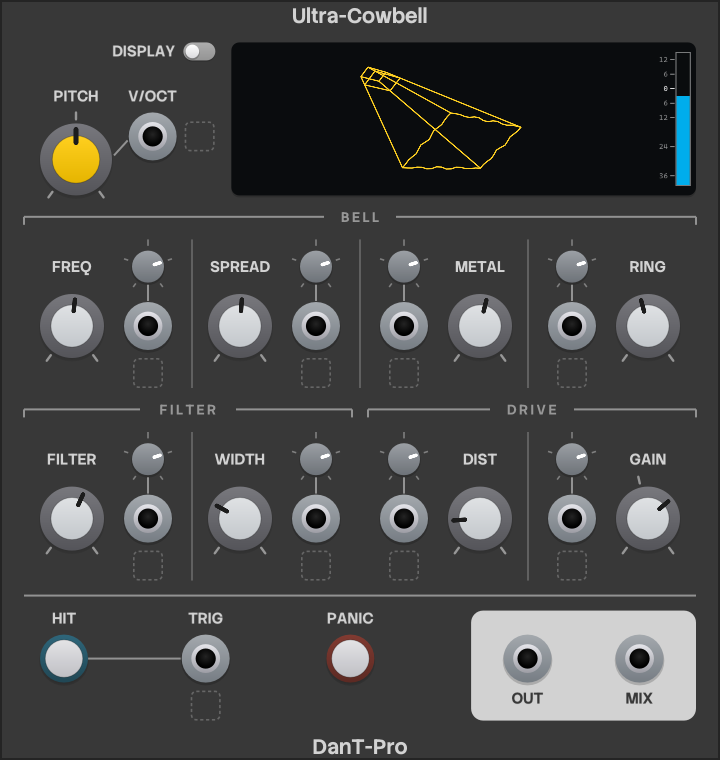
Quick start
Once you've bought Ultra Cowbell in the VCV Library, start Rack so it downloads and installs the plugin, then restart Rack to make the module available.
- Add Ultra Cowbell to your patch (search for "cowbell" in the module browser).
- Patch OUT to your audio output module, or to a mixer.
- Press HIT to hear the default sound. At the default level hits peak at about 3.5v, a little under the ±5v Rack normally uses for audio.
- Patch a clock or a sequencer's gate output into TRIG to play it in time.
- Try the factory sounds (right-click ▸ Preset), or turn the knobs and listen.
How the sound is made
You don't need to know this to use Ultra Cowbell, but it may make the knobs easier to understand. Every voice follows the same path:
- Saw oscillatorFREQ
- Square oscillatorFREQ + SPREAD
- Decay envelopeRING
- Bandpass filterFILTER, WIDTH
- SaturatorDIST
- Ring modulatorFREQ + METAL
- LevelGAIN
- OUT / MIX
The first half is the classic analogue drum machine cowbell; the saturator and ring modulator are Ultra Cowbell's additions. The oscillators run freely between hits, so each hit starts wherever they are in their cycle.
Panel overview
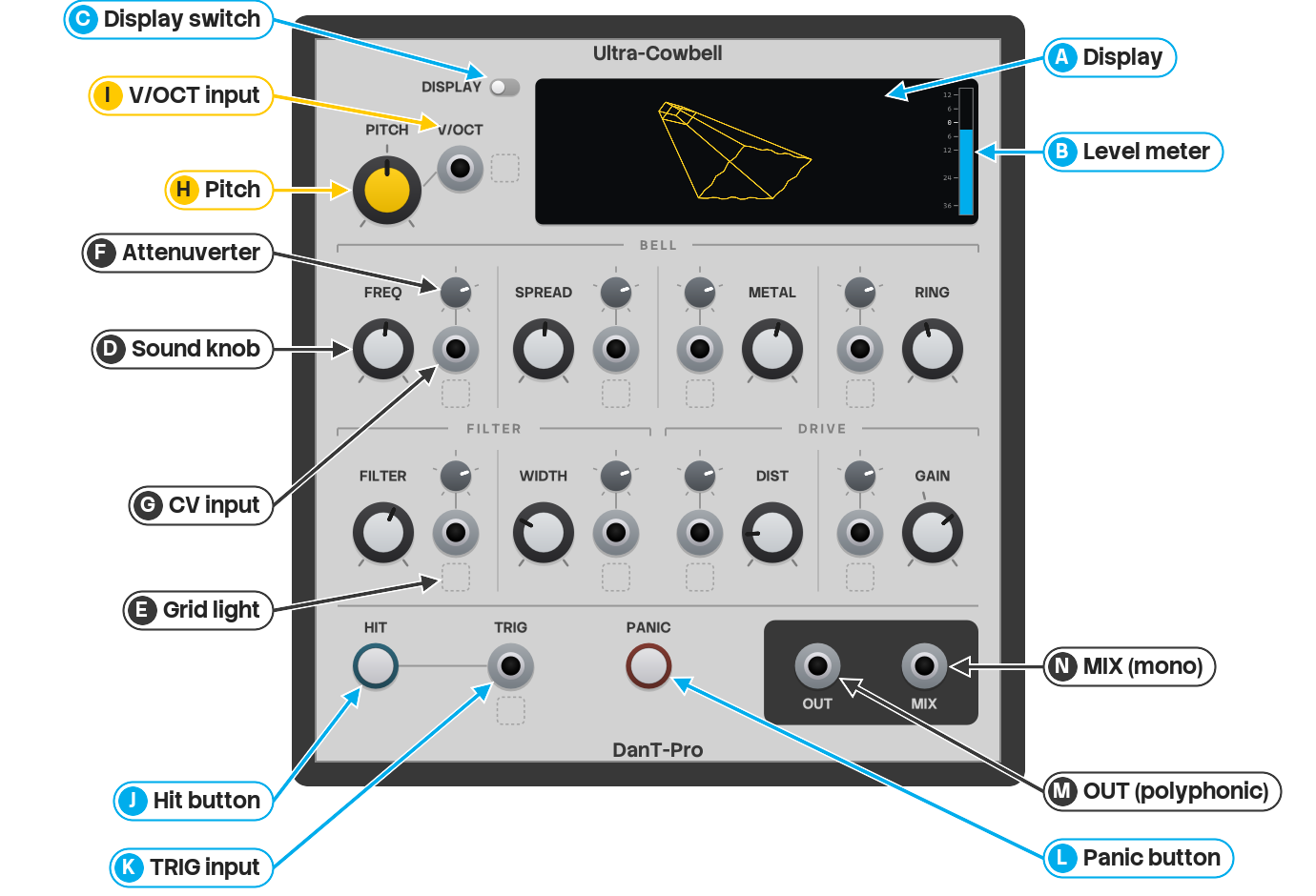
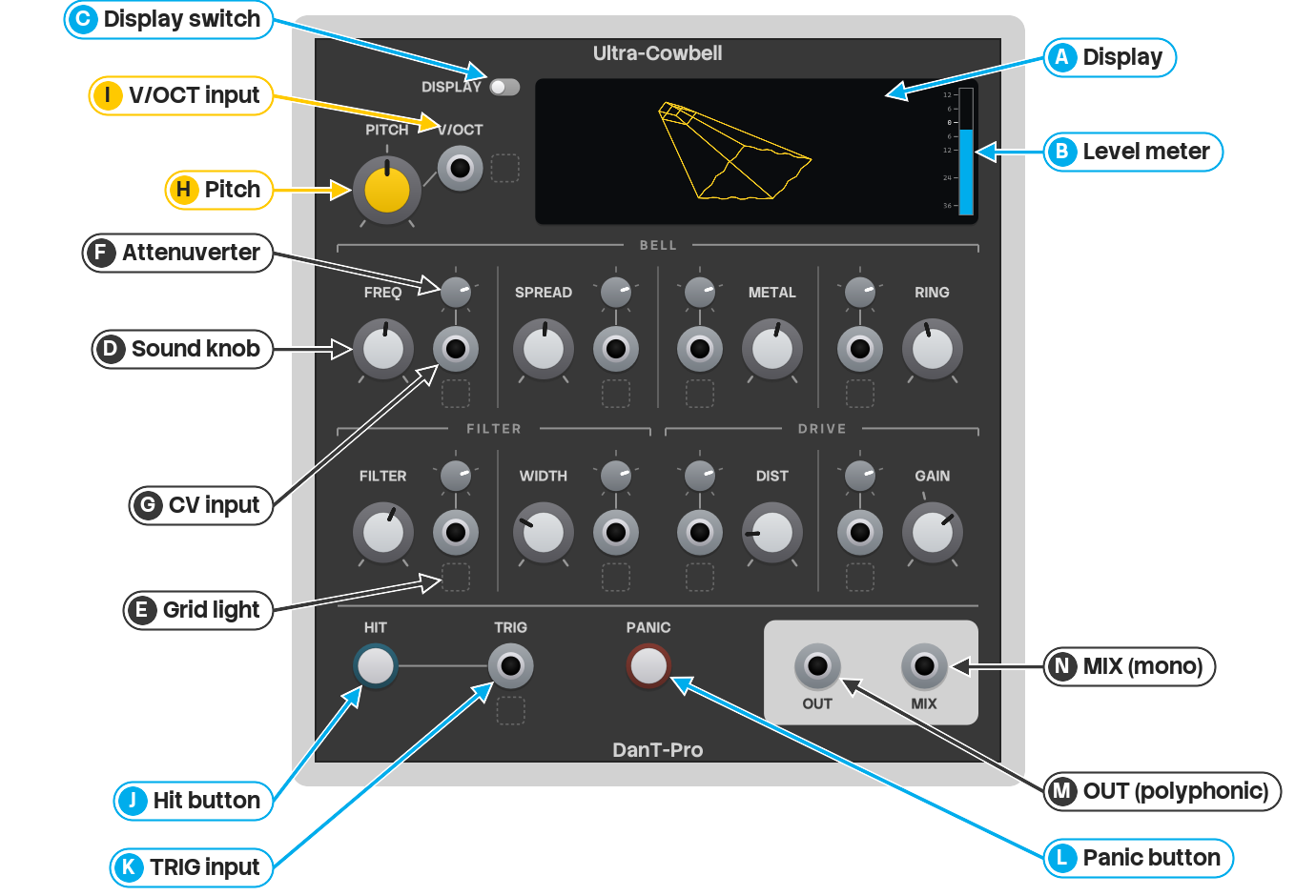
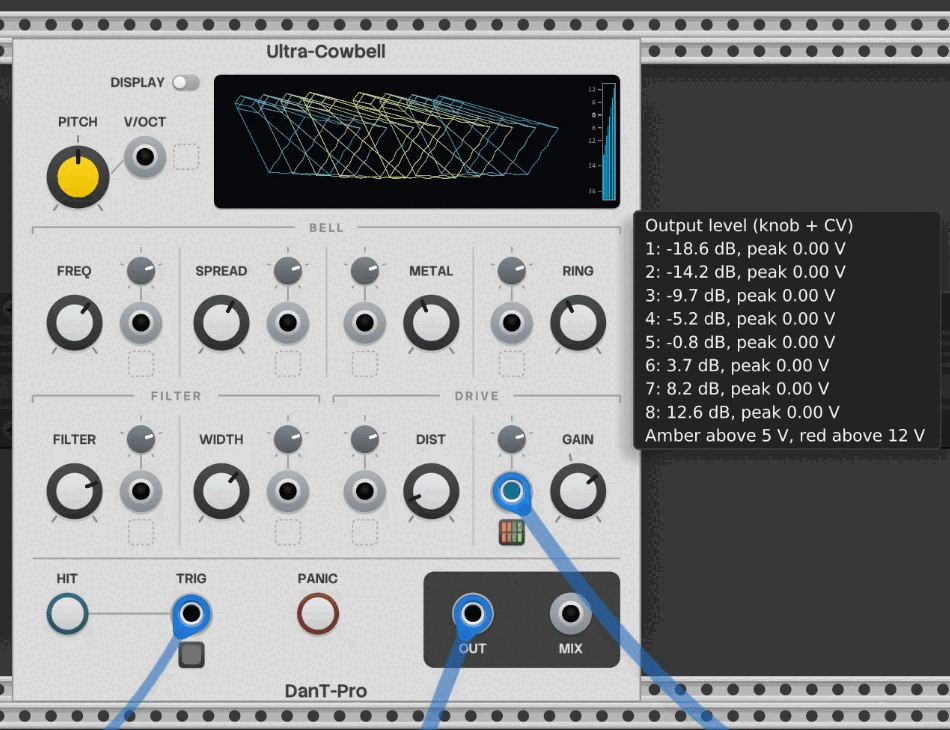
- A to C The display
- D to G 8 cells, grouped as Bell, Filter and Drive: the sound controls, their grid lights, and CV inputs and attenuverters
- H and I Pitch and V/Oct
- J to L Hit, TRIG and Panic
- M and N Outputs
Hover over anything on the panel for a tooltip with its full name, its value in real units, and for ports, what they expect and how they're patched at the moment.
Sound controls
As with any Rack knob, double-click to reset to the default, or right-click to type in a value.
Frequency and Filter frequency also accept note names: typing g4 gives 392Hz, and their
tooltips show the nearest note.
FREQ Frequency
- Range 32.7Hz to 3.95kHz
- Default 399.5Hz
- CV 1v/octave
The pitch of the main (saw) oscillator; the other two oscillators are set relative to it. The knob is exponential: every octave takes the same amount of travel, about 14% of the knob.
Frequency changes the character of the sound as well as its pitch, because Spread and Metal are fixed distances in Hz above it. To play the same sound at different pitches, use Pitch or V/Oct, which move everything together.
SPREAD Spread
- Range 0 to 1600Hz
- Default 821.5Hz
- CV 1v/octave
How far above Frequency the second (square) oscillator sits. At 0Hz both oscillators play the same pitch.
METAL Metal
- Range 0 to 1600Hz
- Default 877.1Hz
- CV 1v/octave
How far above Frequency the ring modulator's oscillator sits, which sets the extra pitches it adds. Small changes can give quite different results, so it's worth sweeping slowly while playing.
Their CV works in octaves, and an octave above 0Hz is still 0Hz. So while a cable is plugged into Spread CV or Metal CV, a knob at 0Hz behaves as about 1Hz, and the CV moves the value from there.
RING Ring
- Range 1ms to 5s
- Default 450ms
- CV acts like turning the knob
How long each hit rings: the decay time of the envelope, called Decay on most drum voices. Short settings give clicks and muted hits; longer ones give ringing bells.
The knob is curved to give the short settings more room: the first 100ms takes about a quarter of the travel, the default 450ms sits just before the middle, and 1s to 5s share the top 40% or so.
FILTER Filter frequency
- Range 32.7Hz to 3.95kHz
- Default 541.4Hz
- CV 1v/octave
The centre of the bandpass filter. Only the part of the sound around this frequency gets through (Filter width sets how much), so this is the main tone control: lower settings sound duller, higher ones brighter. The knob is exponential, like Frequency.
The filter follows Pitch and V/Oct, but not the Frequency knob.
WIDTH Filter width
- Range 100 to 2000Hz
- Default 647Hz
- CV 1v/octave
How wide the filter's pass band is, either side of the filter frequency: with Filter at 1000Hz and Width at 300Hz, roughly 700 to 1300Hz gets through. Narrow settings focus on a small range of pitches; wide settings let more of the oscillators through.
DIST Distortion
- Range 0 to 100%
- Default 17.3%
- CV acts like turning the knob
A gentle saturator after the filter. It adds a little grit, but mostly thickens the hit and makes it sustain for longer, because the loud start of each hit is squashed more than its tail. At the lowest settings the sound isn't reaching the saturator yet, so they mostly change the level, which Gain compensation then evens out. Moar Cowbell's maximum is 66.7% here.
GAIN Gain / Output level
- Range −40 to +15dB (Output level) · −25 to +30dB (Gain)
- Default −3dB (Output level) · +12dB (Gain)
- CV acts like turning the knob
The volume: Output level with Gain compensation on (the default), plain Gain with it off. The knob stays where it is when you switch; only its scale changes.
CV, attenuverters and grid lights
Each cell's CV input adds to its knob. The knob does not move. The grid light below the input shows the CV that the module receives. There are two kinds of CV:
- Frequency, Spread, Metal, Filter frequency and Filter width: 1v/octave. +1v doubles the value and −1v halves it, like a pitch input.
- Ring, Distortion and Gain: CV acts like turning the knob. 10v has the same effect as turning the knob through its full travel, so from a centred knob a ±5v LFO sweeps the whole range, and from either end a 0 to 10v one does. Ring's CV follows the knob's curve.
Either way, CV can't take a control beyond the values you can reach by hand.
Attenuverters
The small knob above each CV input scales it from −200% to +200%. At 12 o'clock (0%) the CV has no effect; right of 12 o'clock increases it, and left of 12 o'clock inverts it. It starts at 100%.
Each CV input's tooltip shows what −5v and +5v give with the knob and attenuverter as they're set, so you can see what a cable will do.
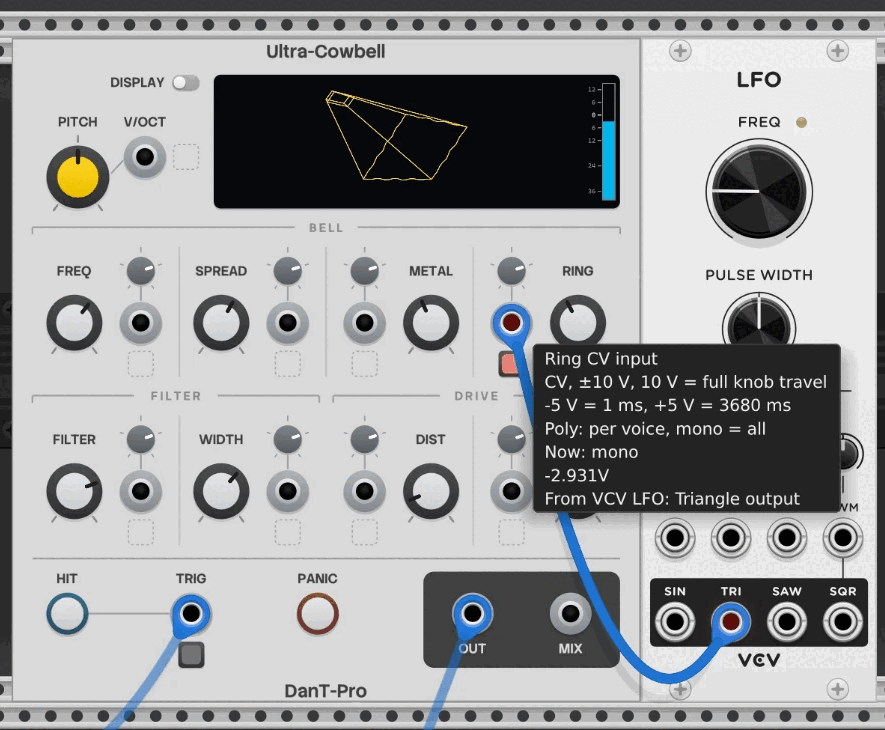
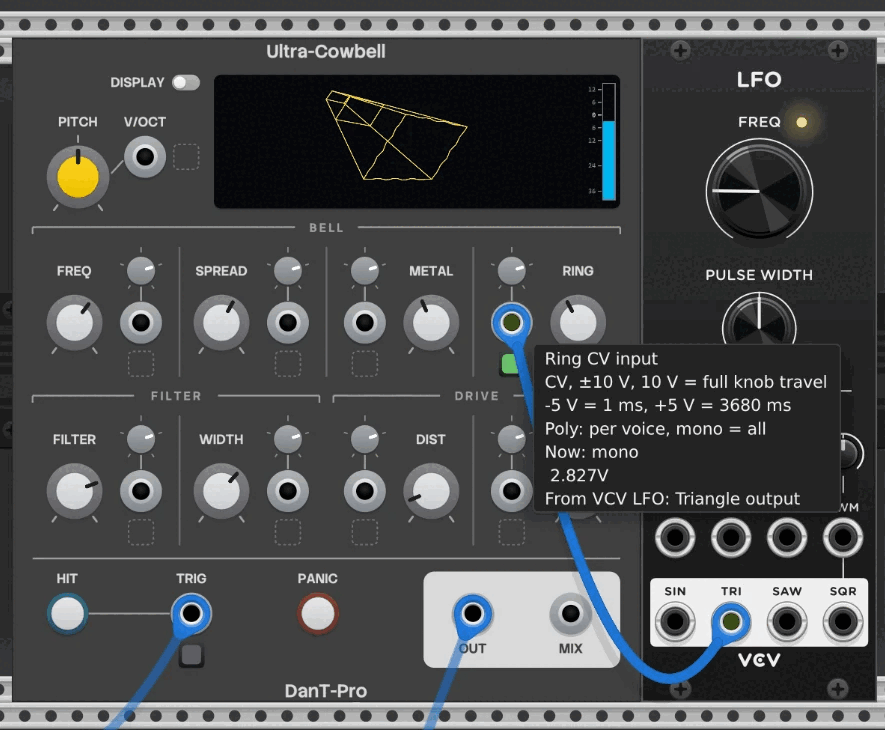
Grid lights
This light shows the voltage that the module receives on the input, with 1 cell for each channel of the cable. A positive voltage is green and a negative voltage is red. Brightness shows the size of the voltage, with full brightness at ±5v. The knob and attenuverter values do not change what the light shows.
The light beside V/OCT shows the V/Oct voltage. The light below TRIG flashes for each hit that the input starts, and a very short trigger also gives a flash. It does not flash for the HIT button. A mono cable has 1 cell, which flashes for a hit on any voice.
Grid light modes
The layout of the light changes with the number of channels on the cable. An input without a cable shows a dashed outline.

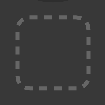








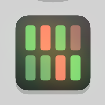





Each layout has space for a maximum number of channels: 1, 2, 4, 8, 12 or 16. The light uses the smallest layout that holds the channels, and the other cells are blank. Thus 5 channels use the 8-channel layout with 3 blank cells. Channel 1 is the top-left cell, and the channels go down each column.
The 4-channel example shows the colours and brightness. The left column is +5v and +1.5v, and the right column is −1.5v and −5v.
Pitch and V/Oct
PITCH Pitch
- Range −5 to +5v (±60 semitones)
- Default 0v
Transposes the whole voice: all three oscillators and the filter move together, so the sound keeps
its character. The tooltip shows volts and semitones; when typing a value, 7 st is 7
semitones and a plain number is volts.
V/OCT 1V/octave pitch input
Added to the Pitch knob at 1v per octave, for playing from a sequencer or MIDI-CV. 0v plays the
pitch the Frequency knob is set to, not C4 as on most oscillators; to make 0v C4, type
c4 into Frequency (261.63Hz).
Pitch and V/Oct are applied after the Frequency knob, so they can take the voice beyond its range. Very high settings stop rising at the oscillators' upper limit.
Hit, TRIG and Panic
HIT Hit button
Hits every voice at once, at full level. The ring around the button comes on while you push it, and for each hit from TRIG.
TRIG Hit trigger input
A hit plays when the voltage rises above 1v, and the voltage has to fall back to 0v before the next. Any trigger works, even a 1ms one. A gate plays one hit at its start: the Ring time, not the gate, sets how long it lasts. With Trigger velocity on, the voltage also sets each hit's level.
PANIC Panic button
Silences every voice immediately. The ring around the button comes on while you push it. Moar Cowbell needed one because some settings could leave it stuck. Ultra Cowbell is designed to avoid that, and keeps the button for nostalgia and as a nod to its Moar Cowbell lineage.
Outputs
OUT Polyphonic output
One channel per voice, for a mixer that accepts polyphonic cables, or VCV Split to give each voice its own cable.
For stereo, play 2 voices (a 2-channel cable into TRIG or a CV input), then send OUT through VCV Split to the left and right inputs of your audio module or mixer.
MIX Mono mix output
The average of all the voices, in mono. With 1 voice it's the same as OUT. With more, voices hit together peak at about the same level as one, so MIX stays within Rack's range however many voices you play.
Because it's an average, a single hit plays quieter the more voices are active, even when the others are silent: 6dB quieter with 2 voices, 12dB with 4 and 24dB with 16.
For a mono mix at full level, patch OUT's polyphonic cable straight into a mono audio input, such as VCV Audio or a mono mixer channel. (A polyphonic mixer channel keeps the voices separate instead, so it won't mix them down.) Rack's convention is that a mono audio input adds up all the channels it receives, so every voice plays at full level, like a unity mixer. Voices hit together add up too, so turn the Output level down if you play many at once. (Mono CV inputs are different: by the same convention they use only the first channel.)
Port reference
The same details as the port tooltips, in one place.
| Port | Signal | Behaviour |
|---|---|---|
| Frequency, Spread, Filter frequency, Filter width and Metal CV | CV, ±5v, with attenuverter | 1v/octave |
| Ring, Distortion and Gain CV | CV, ±10v, with attenuverter | 10v = full knob travel |
| 1V/octave pitch | — | 0v = the Frequency setting |
| Hit trigger | Trigger or gate | fires above 1v (0.1v with velocity) |
Polyphony, every input: per voice, mono = all.
| Port | Signal | Behaviour |
|---|---|---|
| Cowbell (polyphonic) | Audio, ≈3.5v peak at default level | one channel per voice |
| Cowbell mix (mono) | Audio | average of all voices |
The display
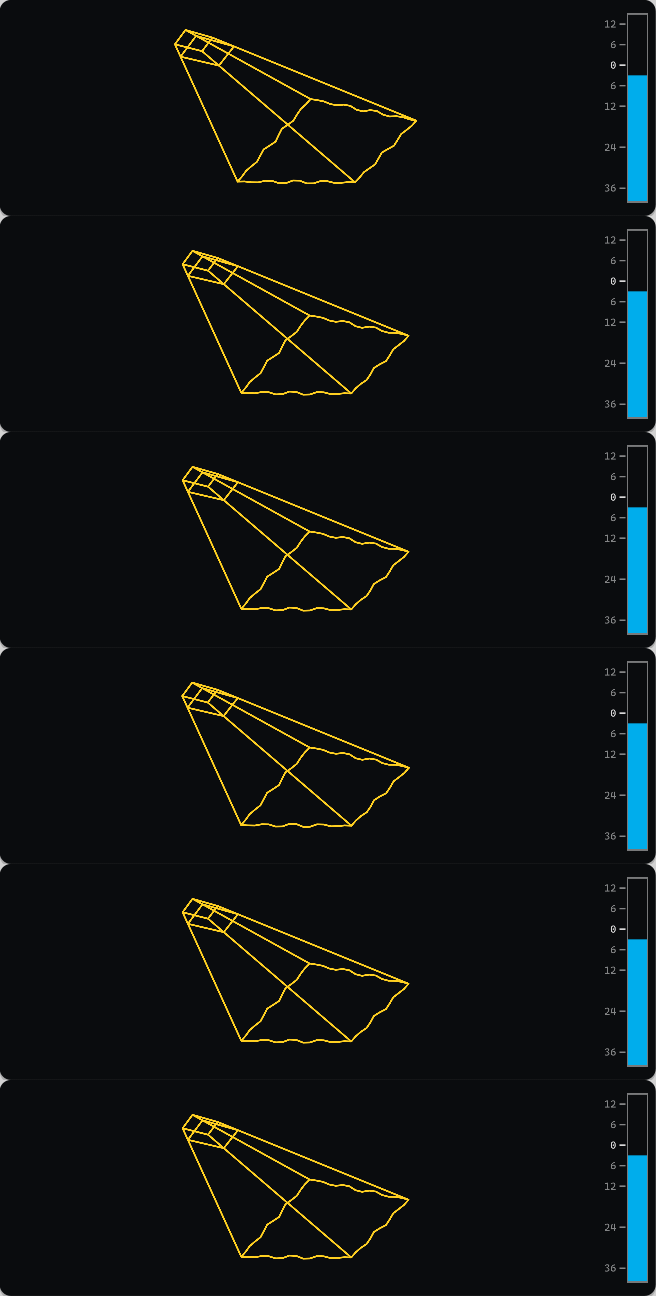
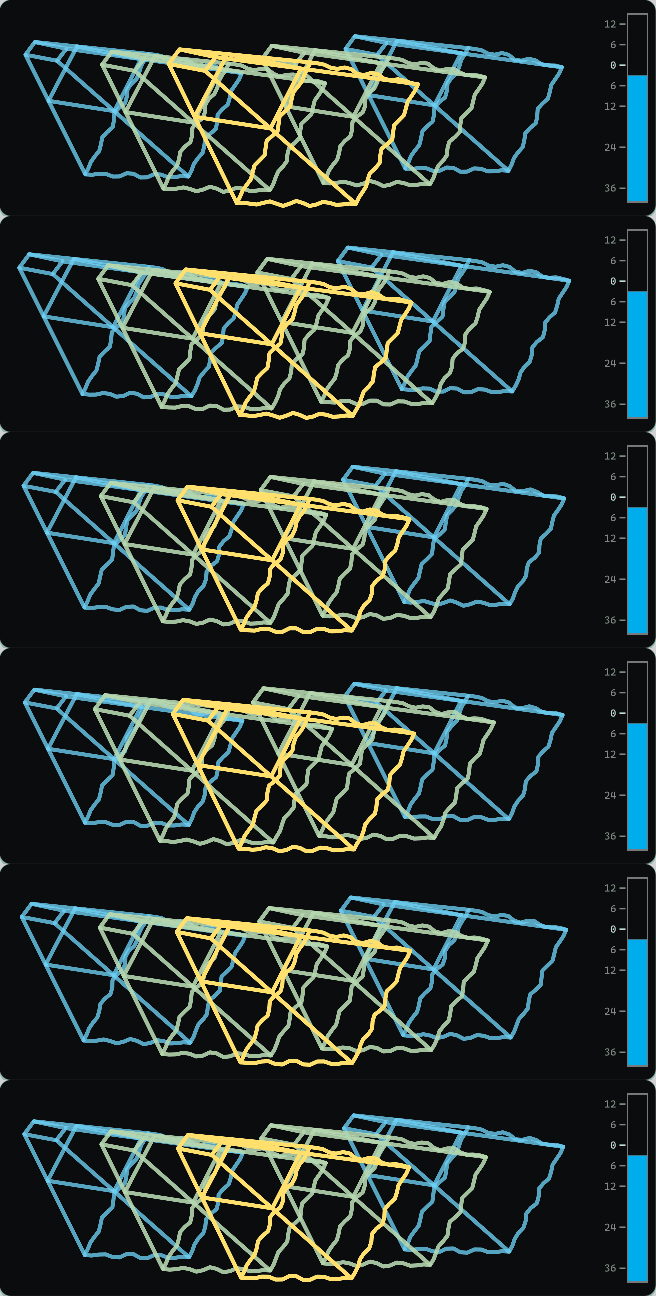
The bells fan out from left to right, one per voice. Each bell has 1 colour, set by its distance from the centre: yellow at the centre, with a blend to blue at the outermost bells. The colour helps you see overlapping bells.
Each sound knob changes the bell in its own way, so the shape gives a rough picture of the settings. The DISPLAY switch, to the left of the display, turns it off. The switch is dark red when the display is off (see Display options).
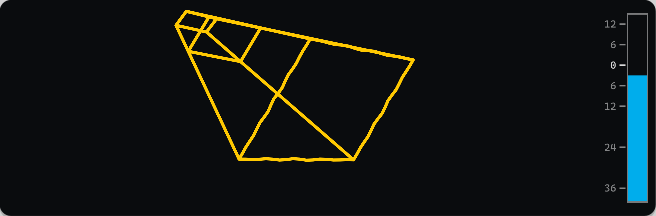
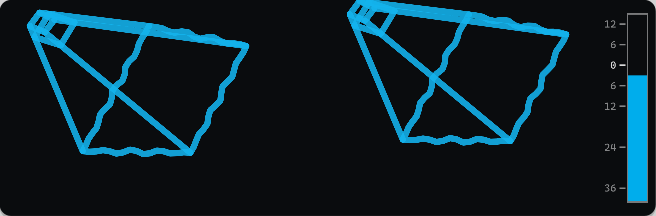
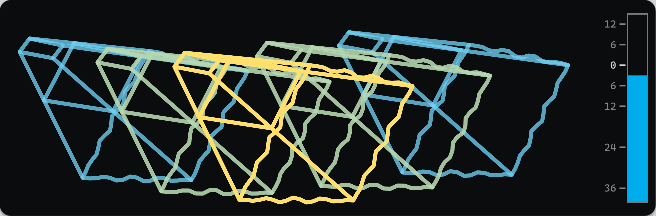
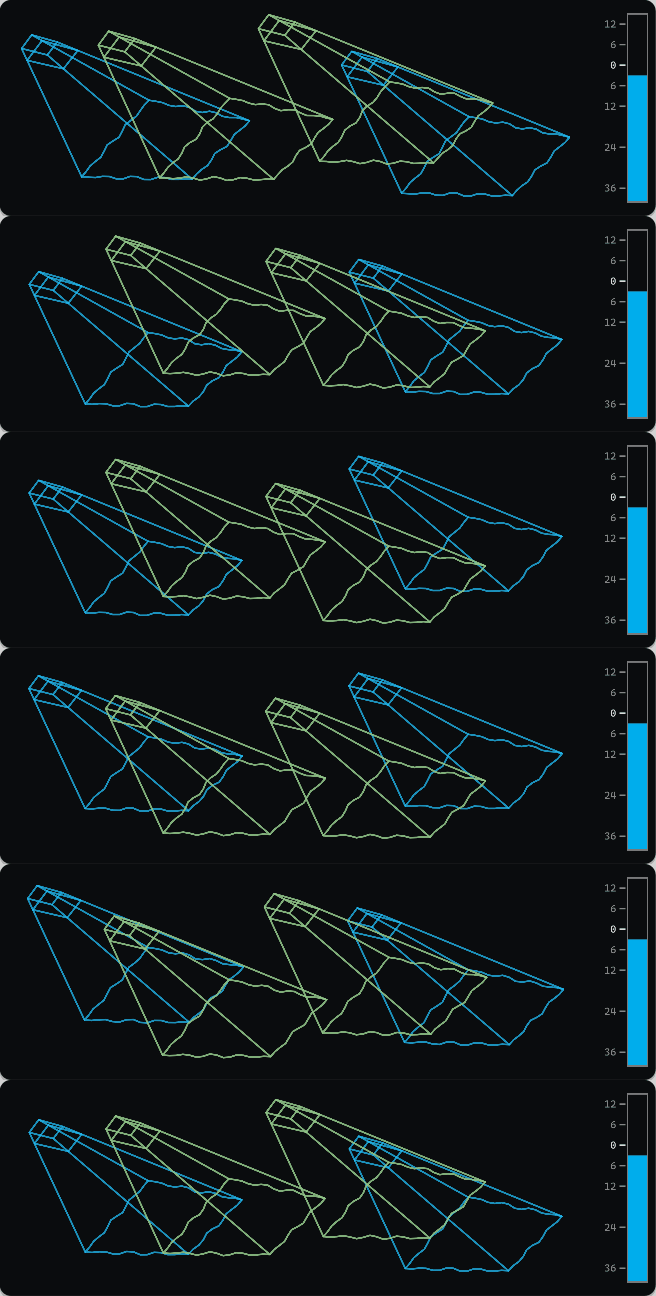
What each knob does to the bell
Each pair shows one knob low (left) and high (right), with everything else at its default.







The level meter
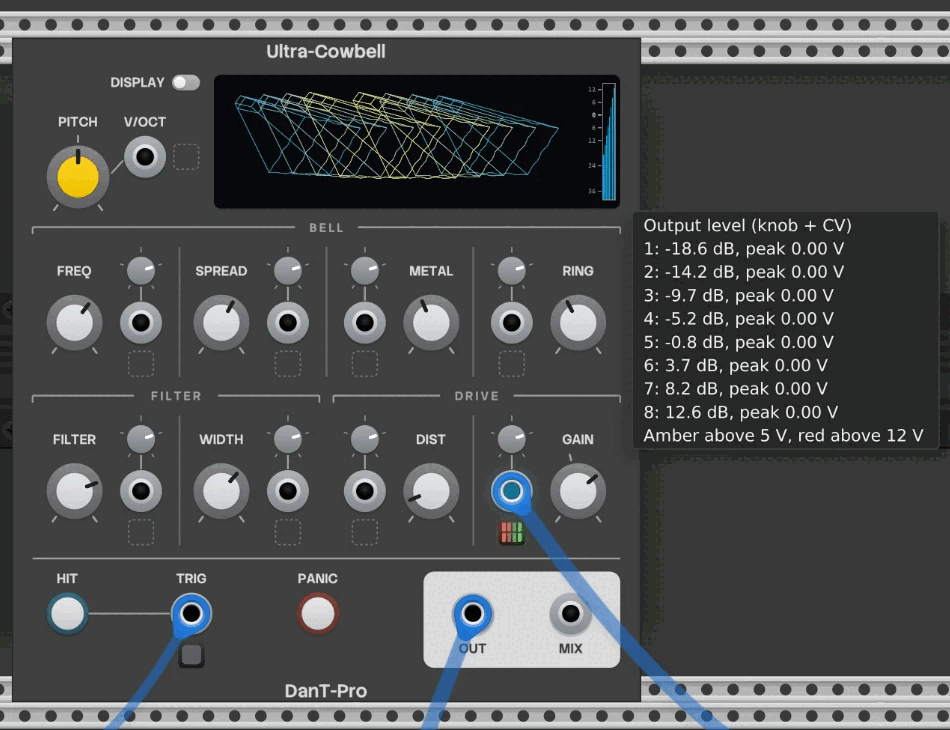
The bar on the right shows Gain / Output level, knob and CV together, on the knob's own scale. As on a mixer fader, the numbers below the brighter 0 are negative. With polyphonic CV in Gain, it splits into one column per channel.
Its colour shows the level coming out, held for about 1 second after each loud hit: blue normal, amber above 5v (Rack's usual audio level), red above 12v (beyond the range Rack's modules are designed for). Hover over it for each column's setting and measured peak.
Polyphony
Ultra Cowbell plays up to 16 voices, following Rack's usual polyphony rules:
- The number of voices follows the busiest input: whichever input has the most channels, whether TRIG, V/OCT or a CV input. With nothing polyphonic patched, there's 1 voice.
- A mono cable acts on every voice, so a mono trigger hits them all.
- A polyphonic cable acts on each voice separately: channel 1 to voice 1, and so on. Voices beyond a cable's channels get 0v from it.
- The knobs act on every voice.
Each input's tooltip ends with a line saying how its cable is being used at the moment: how many channels it has, and which voices get 0v from it.
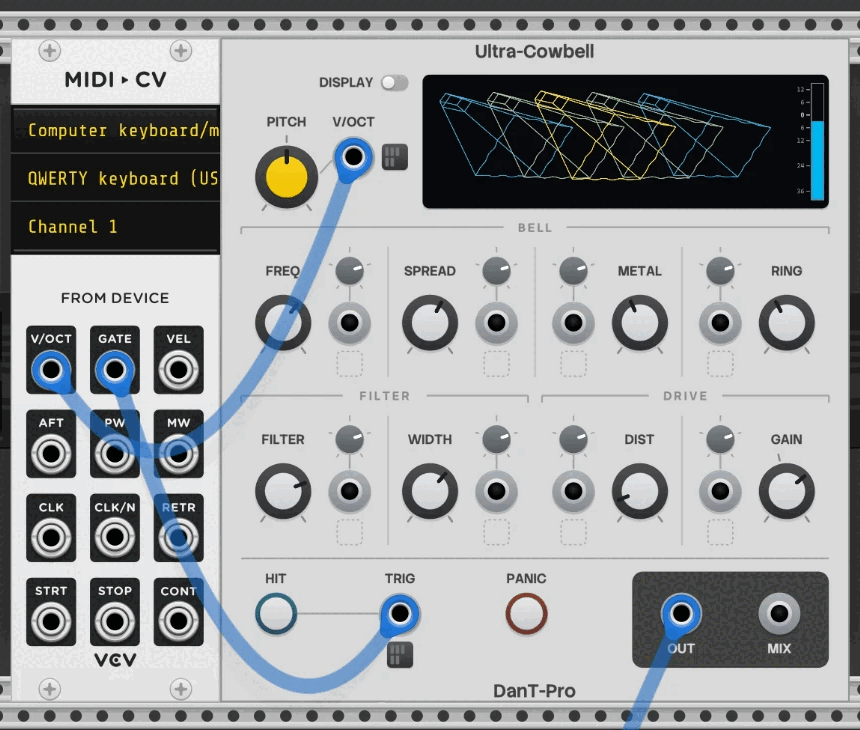
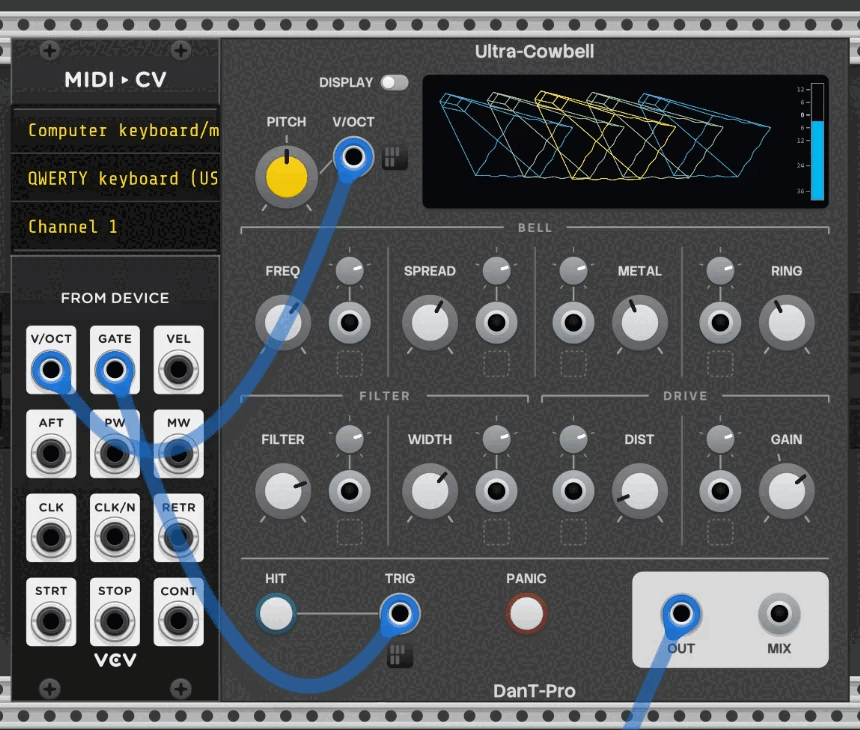
A typical polyphonic setup: VCV MIDI-CV's V/OCT into V/OCT and its GATE into TRIG, with MIDI-CV's polyphony set to 4 or more channels.
Context menu
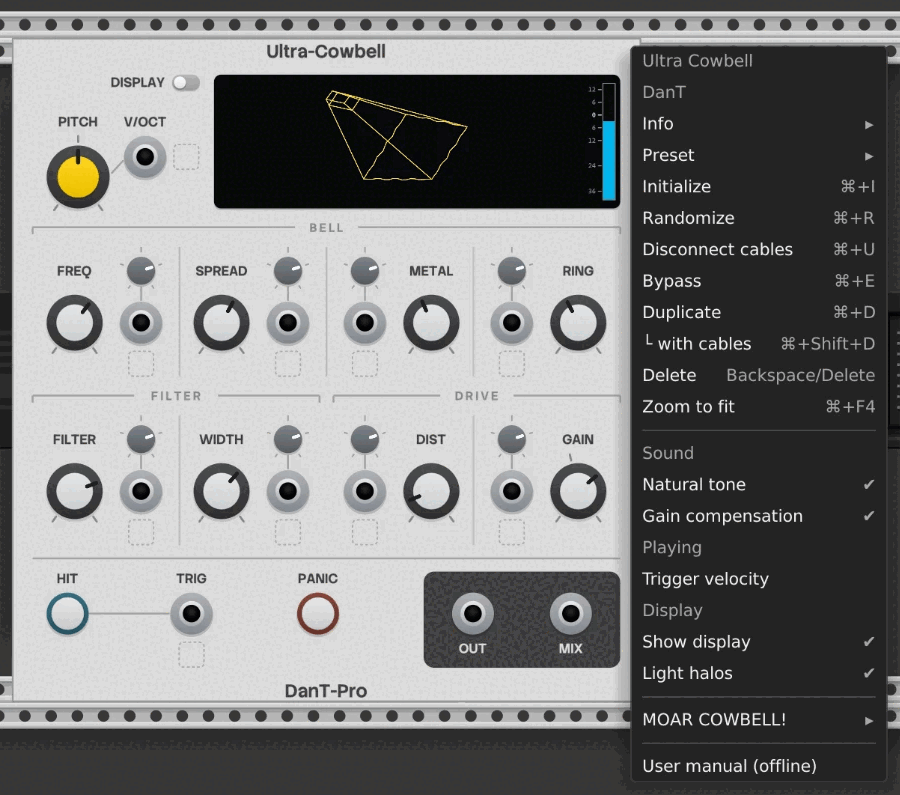
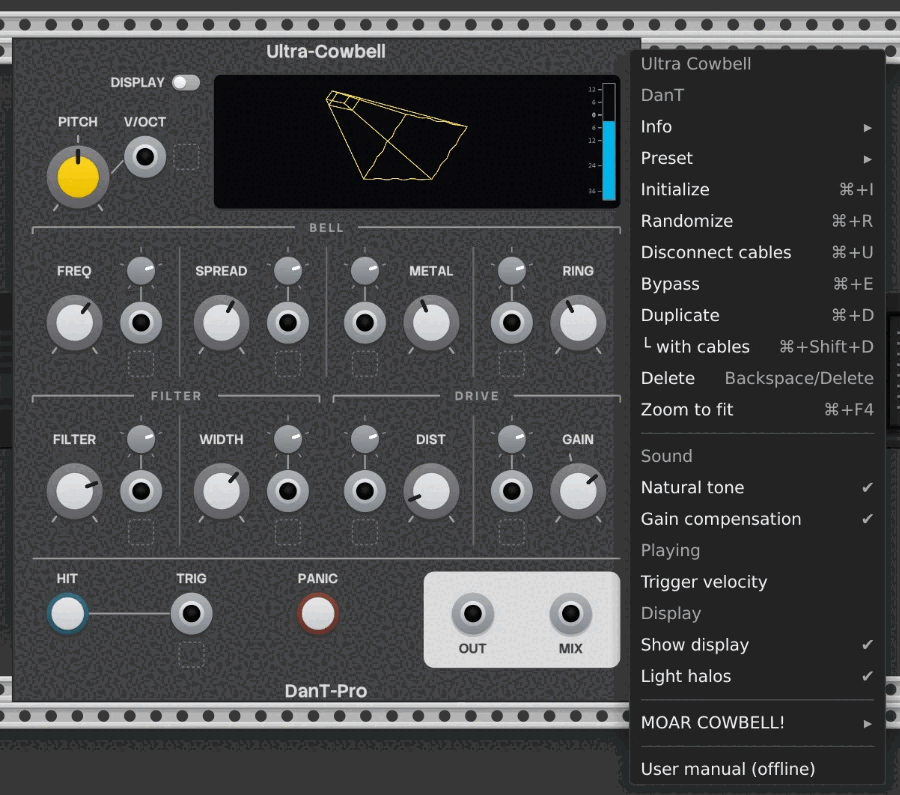
Right-click the module. Below Rack's own items:
- Sound: Natural tone and Gain compensation.
- Playing: Trigger velocity.
- Display: Show display and Light halos.
- MOAR COWBELL! ▸: see Coming from Moar Cowbell.
- User manual (offline): this manual, from the plugin's own folder. Rack's Info ▸ User manual opens the online copy.
The options are saved with your patch, and Initialize resets them.
Natural tone
On by default. Softens the very top of the sound for a less harsh metallic tone, without changing the volume. Switched off, the sound is brighter and cleaner, and can be harsher. It's also what makes Ultra Cowbell match Moar Cowbell, whose oscillators lose some top end as a side effect of how they work. In more detail: a gentle low-pass filter around 3.5kHz with automatic level make-up.
Gain compensation
On by default. Changing a drum voice's sound usually changes its volume too. Gain compensation keeps sounds at a similar loudness, and turns the Gain knob into Output level, which sets how high the hits peak: 0dB means 5v peaks.
- It never lets a hit peak above the Output level, so sounds with a sharp attack come out a little quieter, and a gentle limiter holds back the very start of each hit.
- It doesn't change Ring: short hits are still shorter and quieter than long ones.
- Its boost is limited, so a setting where the filter removes almost all of the sound stays quiet.
- It follows changes over about 0.1 seconds, so very fast CV on the filter or frequencies can be briefly louder or quieter.
Switched off, the knob is plain Gain, as on Moar Cowbell: +12dB by default, with levels that vary from sound to sound and drop a little at higher sample rates (about 5dB quieter at 96kHz than at 48kHz).
Trigger velocity
Off by default. When it's on, the voltage of each trigger or gate sets the level of that hit:
- 10v plays at the Gain / Output level setting.
- Below 10v is quieter: 5v is 12dB quieter and 2.5v is 24dB quieter, the curve MIDI instruments commonly use.
- Above 10v adds extra gain on the same curve (12v is about +3dB), up to the top of the knob's range.
- The trigger threshold drops from 1v to 0.1v, so very soft notes still play.
- The voltage is read as the trigger arrives (its highest point in the first 2ms) and held for the whole hit. The HIT button always plays at 10v.
From VCV MIDI-Gate: right-click it and choose Output amplitude ▸ Velocity. Each gate then rises to the note's velocity, from 0v to 10v, and can go straight into TRIG. Many sequencers can also set each step's gate voltage.
From VCV MIDI-CV: its GATE is always 10v, with the velocity on the separate VEL output. For polyphonic playing, patch GATE into VCV VCA's input, VEL into the VCA's linear CV input, and the VCA's output into TRIG.
Display options
- Show display: the same setting as the DISPLAY switch.
- Light halos (on by default): the glow around this module's lights. Rack's View ▸ Light bloom does the same for every module at once.
Both affect only the graphics, never the sound. In a big patch, switching them off could improve FPS; halos matter most with many voices, where each lit grid cell has its own glow.
Ultra Cowbell also uses less CPU while it isn't playing: silent modules and unplayed voices switch to an idle state after a moment (in groups of 4 voices), and the next hit, knob turn or CV change wakes them. How much this saves depends on your computer and patch.
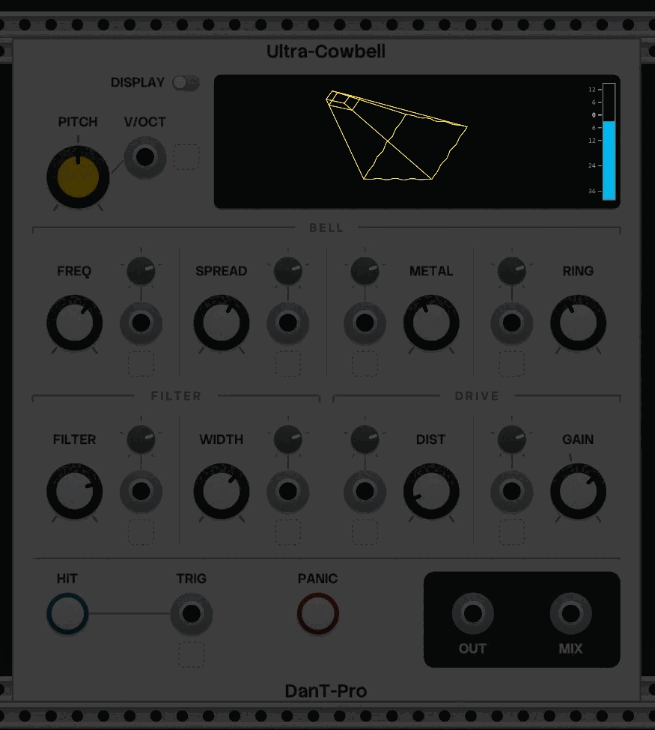
Presets
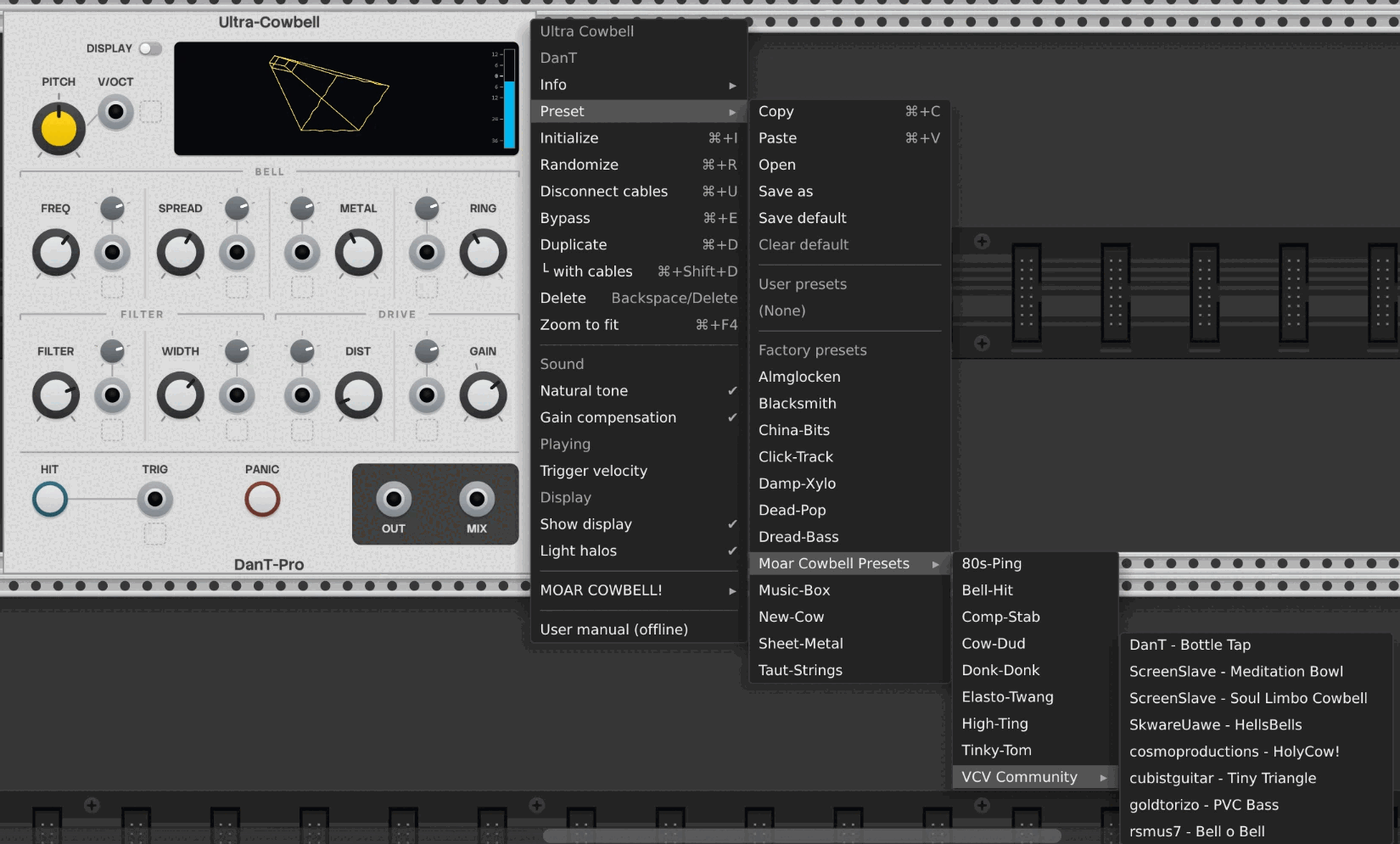
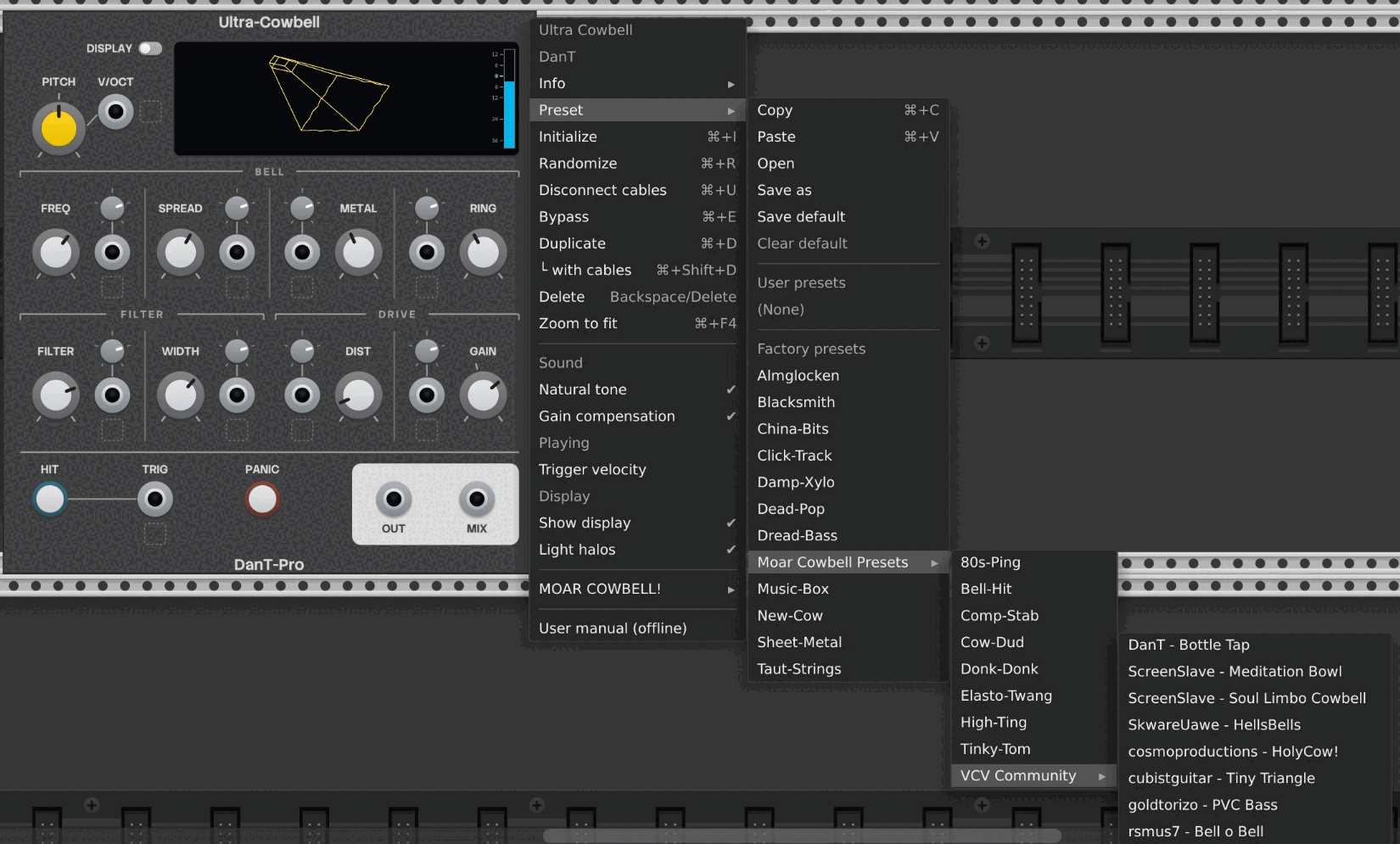
Factory presets (right-click ▸ Preset) are sounds made for Ultra Cowbell, with the Moar Cowbell Presets folder sorted in among them.
- Every factory preset sets the 8 sound knobs, Natural tone and Gain compensation, and leaves Pitch, the attenuverters, Trigger velocity and the display settings as you have them.
- Ultra Cowbell's own sounds set Gain compensation on. The Moar Cowbell Presets (Moar Cowbell's factory and community presets, converted to match it as closely as possible) set it off, so they play at Moar Cowbell's level.
Your own presets (Preset ▸ Save as) save everything, including Pitch, the
attenuverters, the menu options and the display settings, as for any Rack module, so one saved
with the display off switches it off when loaded. To make a preset leave a setting alone, delete
that entry from the .vcvm file in a text editor. The ids are in the table below.
Randomize changes only the 7 tone knobs (Frequency, Spread, Metal, Ring, Filter frequency, Filter width and Distortion), for trying out sounds at your chosen level and pitch.
What a preset file holds
A .vcvm preset lists each param by "id" with its "value", and the
menu options under "data". Three knobs store their knob position rather than Hz or ms, so
it's easiest to set those in Rack and copy the value across.
| id | Control | Stored value | Default |
|---|---|---|---|
| 0 | Frequency | knob position, 0 (32.7Hz) to 1 (3951Hz) | 0.522 |
| 1 | Spread | Hz, 0 to 1600 | 821.5 |
| 2 | Ring | knob position, 0 (1ms) to 1 (5s) | 0.448 |
| 3 | Filter frequency | knob position, 0 (32.7Hz) to 1 (3951Hz) | 0.585 |
| 4 | Filter width | Hz, 100 to 2000 | 647 |
| 5 | Distortion | 0 to 1.5 (1.5 is 100%) | 0.26 |
| 6 | Metal | Hz, 0 to 1600 | 877.1 |
| 7 | Gain / Output level | Gain in dB, −25 to 30 (Output level reads 15dB lower) | 12 |
| 8 | Pitch | volts, −5 to 5 | 0 |
| 9 to 16 | CV attenuverters: Frequency, Spread, Ring, Filter frequency, Filter width, Distortion, Metal, Gain | −2 to 2 (2 is 200%) | 1 |
| 17, 18 | Hit, Panic | buttons, always 0 | 0 |
| 19 | Display switch | 0 on, 1 off | 0 |
| data key | Menu option | Default |
|---|---|---|
legacyLowpassEnabled | Natural tone | true |
gainCompensation | Gain compensation | true |
velocity | Trigger velocity | false |
lightHalos | Light halos | true |
Coming from Moar Cowbell
Ultra Cowbell has Moar Cowbell's 8 sound knobs, and its presets are in the Moar Cowbell Presets folder. To bring across your own sounds, use the MOAR COWBELL! ▸ submenu:
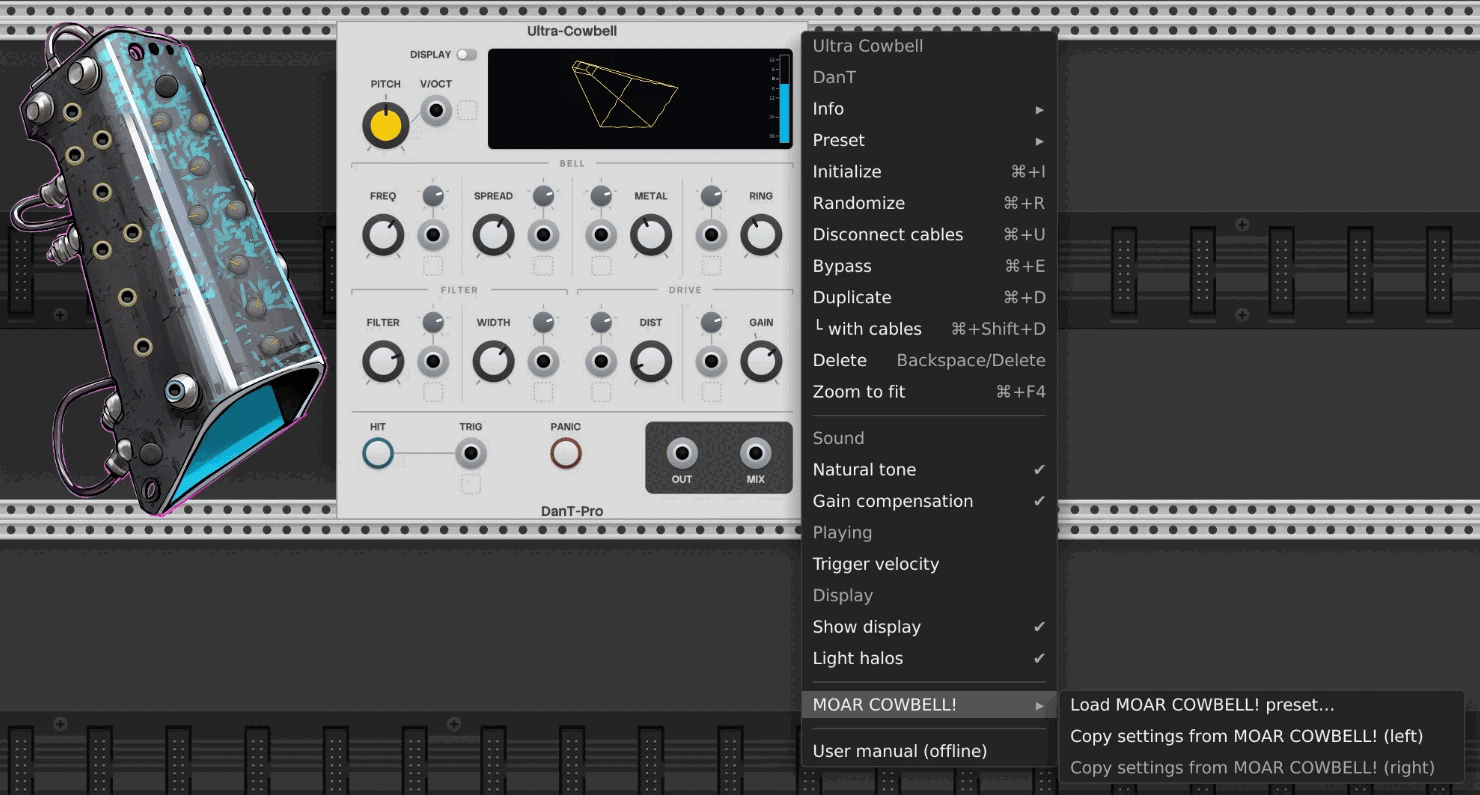
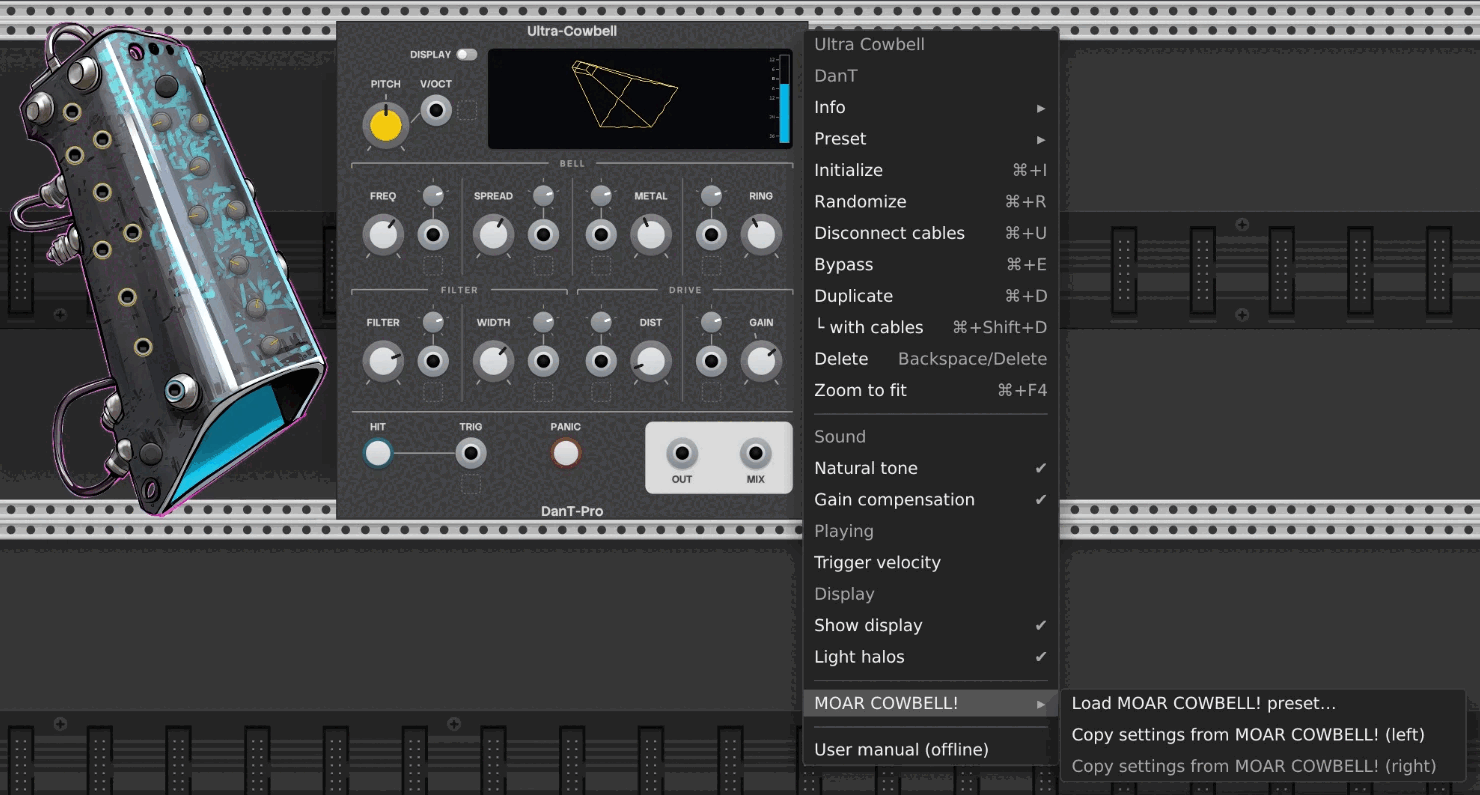
- Load MOAR COWBELL! preset… opens a file browser in Moar Cowbell's user preset folder
(
presets/DanTModules/MoarCowbell/in Rack's user folder). A preset from any other module is refused. - Copy settings from MOAR COWBELL! (left / right) copies the current knobs of a Moar Cowbell placed directly beside the module, for a sound you never saved. Greyed out until one is there.
Both set only the 8 sound knobs, leaving everything else as it is, and can be undone. The tone matches with Natural tone on (the default); the level matches with Gain compensation off. Gain settings above +30dB come across as +30dB. Save the result as an Ultra Cowbell preset to keep it.
What's new compared with Moar Cowbell: polyphony, Pitch and V/Oct, attenuverters, grid lights, the display, and the Natural tone, Gain compensation and Trigger velocity options. The oscillators are band-limited and the filter more accurate, Distortion goes further and responds the same at any sample rate, Frequency, Filter frequency and Ring have curved knobs, and Gain's range starts at −25dB (Moar Cowbell's went down to −70dB).
Tips and patch ideas
- Tone first, then pitch. Filter frequency and Filter width shape the tone the most, so it can help to set them before fine-tuning Frequency.
- Open and closed hits. Sequence Ring CV alongside the triggers: short on most steps, long on a few, like an open and closed hi-hat.
- A different sound per voice. Patch a polyphonic random source (such as VCV Random with several channels) into Filter frequency or Metal CV.
- Changes within a hit. The controls respond while a hit is ringing, so an envelope from the same trigger into Filter frequency CV or Metal CV changes the tone as it rings.
- Accents: Trigger velocity with a sequencer that sets gate voltages, or a second sequencer lane into Gain CV.
- Beyond cowbells. Low Spread and Metal with a narrow filter are a starting point for more tuned sounds; very low Frequency and Filter frequency head towards bass (try the Dread-Bass preset).
FAQ
I pressed HIT and heard nothing.
Check that OUT or MIX is patched to your audio output or a mixer, and that Gain / Output level isn't turned right down. If the display's bell swells, the module is playing.
Why did loading a preset change the volume?
The Moar Cowbell presets switch Gain compensation off to match Moar Cowbell's levels. Switch it back on from the context menu if you prefer.
Why did loading my preset turn the display off?
Your own presets save the display settings too. See Presets.
How do I make 0v play a C?
Type c4 into the Frequency knob. See Pitch and V/Oct.
Why does a long gate only give one short hit?
Each trigger or gate plays one hit; Ring sets how long it lasts.
Why did one cable give me 16 voices?
The voice count follows the input with the most channels, CV inputs included. See Polyphony.
Why is MIX quieter than OUT?
MIX is the average of the voices, so with several voices active a single hit plays quieter. See Outputs.
Spread (or Metal) is at 0Hz but I can still hear it.
With a cable in its CV input, 0Hz behaves as about 1Hz. See Metal.
My hits vary a little from one to the next.
A hit doesn't restart the oscillators (see How the sound is made). With some settings, especially low bass pitches, this makes the start of each hit vary slightly, as on analogue drum voices.
Moar Cowbell is free. Why do I have to pay for Ultra Cowbell?
Ultra Cowbell adds a lot to Moar Cowbell, from polyphony and the display to higher sound quality (see What's new). Its sound, CPU use and graphics were also measured and benchmarked throughout development.
Did you use AI?
I want to be open about how I work. Moar Cowbell was entirely my own idea, design and code, put together the best way I knew how at the time. It's labelled experimental because its sound engine was exported from a Faust program, Frankensteined into a Rack module, and then adjusted until it (sort of) did what I wanted. AI was only used to make some images for the panel, which I then edited by hand.
Some years on, AI tools have changed a lot. Ultra Cowbell is still entirely human led: the graphics and every creative element, the architecture and the design are my own. I used an AI coding agent to speed up development, testing and benchmarking, and to help write this manual.
Couldn't I just use AI to write my own cowbell module?
Yes, please do try making your own cowbell; I'd be interested to hear the results. In general, though, it isn't as simple as it sounds. I have more than 25 years' experience as a software engineer, at least half of that spent playing with synths, and I write detailed design documents and supporting notes before an AI agent writes any code. The amount of AI use involved would probably need a professional-level subscription too, so in most cases buying the module is likely to be cheaper.